AI tools for teachers
AI software for planning lessons, adapting materials, running activities and reviewing student work.
Updated Nov 2026
These tools help teachers prepare lessons, adapt classroom materials, guide practice and review student work. The list groups them by what they help with: lessons and materials, feedback and grading, and student AI activities.
Lessons and materials
 Almanack
 helps teachers adapt curriculum lessons into materials for different reading levels, languages and learning needs. It also plans around a school calendar and gives school leaders a curriculum coverage dashboard. Teachers can sign up free without a credit card; school sign-in options include Google, Microsoft, Clever and ClassLink, depending on district settings.
Built for teachers
 Brisk Teaching
 is a browser assistant that helps teachers create lessons and feedback from documents, websites, videos and other classroom materials. Teachers can adjust reading levels, translate resources and turn texts into student activities. Its Chrome and Edge extension works in tools including Google Docs, Slides, YouTube and learning management systems.
The individual teacher plan is free. Premium adds school standards, rubrics, tool management and usage visibility, while Intelligence adds a library based on a district's adopted curriculum and pacing. Both organizational plans use custom pricing, so curriculum setup and district oversight sit in the paid offerings. Premium also adds onboarding and professional development, while Intelligence includes district curriculum setup and a dedicated customer success manager. Brisk Boost supplies teacher guided student AI activities across the plan comparison.
Built for teachers
 Canva Education
 is Canva's classroom design offering for teachers and students. It provides templates, presentations, worksheets and collaborative activities, with review and feedback on student work. Its AI tools include quizzes generated from slides, Magic Write, image creation and translation.
Access is free for eligible educators and their students worldwide. Eligibility centers on active teachers and other qualifying staff in accredited primary and secondary education. Students join through a teacher's invitation. The free Education program excludes colleges and universities, including lecturers and staff. Classroom integrations include Canvas, Schoology, Moodle, Blackboard, Google Classroom and Microsoft Teams.
Teacher editions of larger platforms
 Chalkie
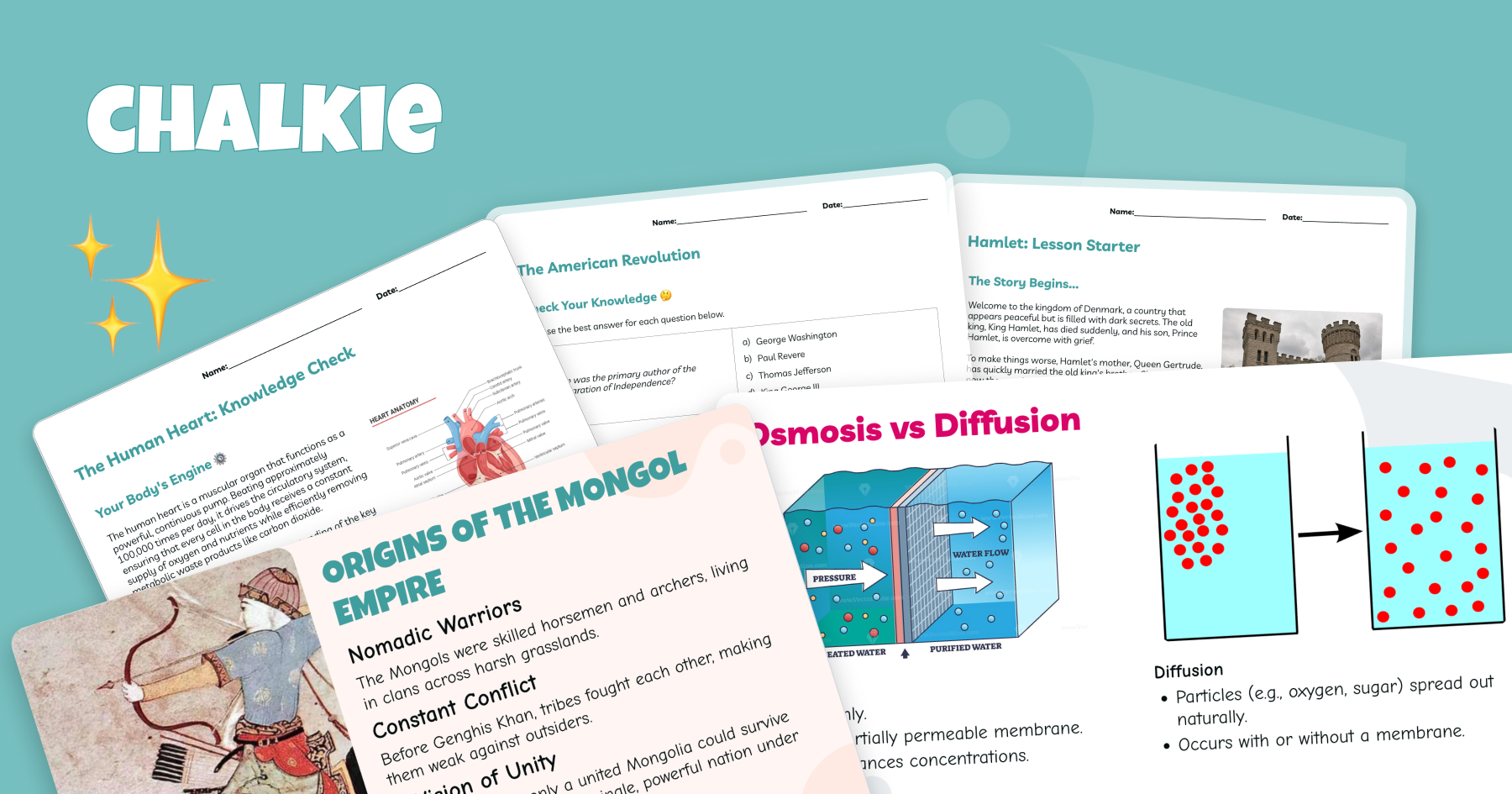
 creates lesson slides and worksheets for classroom teachers. A teacher can start with a topic, lesson plan, uploaded file or website, then adjust language and difficulty for the class. It also creates lesson series in which each lesson builds on the previous one.
The free plan allows five resources each week, with exports to Google and Microsoft. Pro costs US$79.80 a year and allows 200 resources a month, series of up to 12 lessons and lessons of up to 25 slides. Max costs US$155.88 annually and raises those limits to 400 resources, 25 lessons per series and 35 slides per lesson. Pro also adds curriculum and standards alignment, YouTube video insertion, removal of Chalkie branding and a custom theme. School plans add linked teacher accounts, administrative tracking and centralized billing.
Built for teachers
 ChatGPT for Teachers
OpenAI's ChatGPT for Teachers gives educators writing, file analysis and research tools in a school or district workspace. Teachers can collaborate with colleagues, while administrators manage workspace access. School setup includes SSO and role settings.
The plan is free through June 2028 for verified educators working at accredited United States schools or districts from kindergarten through grade 12. School staff, leaders and district administrators can also qualify. It does not include student accounts. A workspace can contain verified educators from one district only. Content shared with the service is not used to train OpenAI models by default.
Teacher editions of larger platforms
 Claude for Teachers
Anthropic's Claude for Teachers helps United States school educators draft lessons and assessments. Its Learning Commons connection supplies state standards and curriculum materials, including Illustrative Mathematics and OpenSciEd. Teachers can also adapt resources for different reading levels and draft communications for families.
Verified teachers, schools and districts that sign up by June 2027 receive a full year free, with June 30 as the deadline. School workspaces include centrally managed accounts, role based access and single sign-on. The offer is for US K to 12 educators, and extra usage limits apply. Anthropic says models are never trained on conversations in the teacher offering.
Teacher editions of larger platforms

 Diffit
 helps teachers adapt existing classroom materials into differentiated activities, intervention resources, slides and other teaching documents. Teachers can specify language, scaffolds, standards and challenge level, then edit the result before printing or exporting it. The workflow requires no student logins.
The Basic plan is free and supports editing, PDF downloads, printing and sharing with colleagues. Its resource history covers only the last 90 days. Diffit for Schools adds the complete history, exports to Google, Canva and Microsoft, curriculum grounding, standards alignment and an administrator dashboard. Individual teachers also have an upgrade route, while districts can request a quote.
Built for teachers
 Edpuzzle
 helps teachers generate questions from videos and embed them in a video lesson. Teachers can choose multiple choice or open responses, review the generated questions and edit them before assigning the lesson. The generator requires a video without existing embedded questions and may be unavailable when it lacks enough information.
The free Basic plan stores up to 20 activities, counting video lessons, documents, quizzes, slides and student projects. Assignments themselves do not count toward that cap. Pro Teacher and Pro School give unlimited saved activities. Verified colleague referrals can increase the Basic allowance by three activities for both teachers.
Teacher editions of larger platforms
 Eduaide
 is an AI lesson planning assistant for K to 12 teachers. It creates lesson plans, worksheets, rubrics, assessments and games from a topic and grade setting. Teachers can choose from more than 120 templates and generate resources in 27 languages.
The free plan has 24 monthly credits, enough for up to eight resources. Pro costs US$5.99 a month or US$49.99 a year and adds unlimited generation, differentiation, document chat and YouTube transcript import. Both plans export to PDF, with additional formats available for particular resource types. The service has no student accounts and is not designed for people under 18. There is also a standards alignment limit: free resources can reference one standard each, while Pro resources can reference up to five. Google exports need a connected Google account.
Built for teachers
 Khanmigo for Teachers
Khan Academy's Khanmigo for Teachers offers free lesson planning tools for educators. Teachers can generate differentiated plans tied to Khan Academy content, write learning objectives, create rubrics and prepare exit tickets. The teacher offering also includes summaries of student work to help assess progress, alongside subject knowledge support and access to chat history.
Teacher editions of larger platforms
 MagicSchool
 helps teachers plan lessons and give feedback, with tools for supporting different learners. It also provides student AI activities and district oversight. The free plan includes more than 80 teacher tools, a chatbot, quizzes and class writing feedback.
Plus costs US$12.99 a month, or US$8.33 per user per month billed annually. It adds unlimited generation, output history and editing, along with more student tools and learning insights. District customization uses a separately quoted Enterprise plan. MagicSchool announced US$45 million in funding in February 2025, a Series B led by Valor Equity Partners.
Built for teachers
 Playlab
 is run by nonprofit Playlab Education Inc.. It lets educators build their own AI apps for teaching, including chat tools and interactive activities. Teachers can connect an app to curriculum documents, rubrics, standards and references, then compare models and choose one for the task.
Teachers can review every student interaction with their apps and use that record to adjust instruction or revise an app. The platform alerts teachers to messages needing attention, including suggestions of self-harm, and allows additional moderation settings. Organizations can choose which models their users can access. Playlab says educators can use supported models without separate model licenses and that teachers retain rights to the work they create. It also says student and teacher work is not used to train outside AI models.
The site offers educator signup and organizational demos. Its app tools include a document editor, Python for data analysis, math diagrams and image processing. There is an age limit for accounts: users must be at least 13, with guardian permission required under 18. Playlab names organizations including New York City Public Schools, Austin Independent School District and California's community colleges on its site.
Built for teachers
 QuestionWell
 helps teachers generate questions and teaching materials, then edit, export or assign them. It includes learning objective generation, discussion questions, interactive video quizzes and a live assignment dashboard with AI grading. Questions can be exported to classroom platforms including Kahoot, Quizizz and Canvas.
There is a free plan, while Premium costs US$70 a year. Premium adds longer source readings, more question types, unlimited imports and exports, and unlimited classes. The free plan has limits including two classes, three months of storage and five question exports monthly. School subscriptions cost US$100 per seat annually for five to 50 seats, with a contact route for larger licenses.
Built for teachers
 TeacherMatic
Avallain owns TeacherMatic, a collection of AI generators for educators creating teaching and learning materials. It offers general and language teaching editions, with exports including PDF, Word documents and Google Docs.
The free plan initially allows 15 generations a day, then drops to five daily after the first week. Professional costs £6.99 monthly or £69 annually, including 20% VAT. It includes all generators, saved outputs and a limit of 150 generations daily. Organizational licenses allocate access to staff signing up through approved domains, with per-license pricing declining as user numbers increase. The pricing page lists college case studies including South Staffordshire College.
Built for teachers
 Teachmate
 creates lesson plans and teacher documents, including slideshows, worksheets and pupil reports. Its paid tools also include an Open Chat assistant and a feature for matching a teacher's writing tone. A free account gives access to selected tools without a payment card.
Pro costs £7.99 a month. The annual offer costs £59.88 upfront for the first year using code FIRSTYEAR, then renews at £72 annually. Pro includes unlimited slide and worksheet generation and document exports. The Whole School plan adds license management, single sign-on, school policies in outputs and usage reports. Those administrative features are outside the individual Pro plan.
Built for teachers
 Teachy
 helps teachers create materials and grade work, with slide decks, lesson plans, worksheets and quizzes based on curriculum. Teachers can adapt lessons for different classes and learners, grade open responses and view performance reports. Its school platform also has teacher engagement and student performance dashboards.
The Basic School option starts teachers with limited credits. Premium School costs US$12.90 per teacher monthly, billed monthly, and is advertised with unlimited access. An Enterprise School option uses a sales discussion. The school page also describes teacher monitoring of AI conversations and customizable student groups for using performance information in follow-up teaching.
Built for teachers
 Twee
Twee creates language lessons by proficiency level for language teachers. It generates texts, dialogues, vocabulary activities, questions and writing prompts, with settings from CEFR A1 to C2. Teachers can print resources or share interactive assignments and use AI to assess student responses.
Basic costs US$6.50 a month, billed annually, and includes 100 runs monthly for tools outside the Pro collection. Pro costs US$10.50 monthly on annual billing and adds response checking, media tools and exports. There are separate Pro usage caps: media tools allow 100 runs a month, text to audio has 5,000 monthly credits, and AI response checking has 100 checks monthly. New users can try five tool runs outside the Pro collection, plus 500 text to audio credits. The trial also includes classroom management and interactive sharing.
Built for teachers
 Wayground
 creates assessments and teaching resources with AI for classroom teachers, including slides, video activities, homework and flashcards. Teachers can start with a topic, document or standard, then adapt materials and review student responses. The service offers free teacher signup and a quote route for administrators. Quizizz Inc. remains the legal operator following the product's rename.
Teacher editions of larger platforms
Feedback and grading
 Class Companion
Panorama Education owns Class Companion, which gives teachers tools to draft assignments and rubrics and gives students feedback on their responses. Students can revise and resubmit work, while teachers see progress and areas needing support. Teachers can set accommodations once for a student and have them apply across assignments. Schools can request a demonstration through Panorama's product page.
Built for teachers
 CoGrader
 gives teachers rubric based essay feedback for written assignments, including handwritten work. Teachers can build and share rubrics and connect their workflow to Google Classroom, Canvas or Schoology. The free Starter plan includes 150 student submissions each month and help center access.
Schools and districts can buy unlimited student submissions with a shared rubric library, bulk user management, reporting, training and onboarding. That plan is quoted according to institution size. A separate higher education and enterprise offering adds API access, custom integrations and custom roles. The individual paid plan raises the monthly allowance to 350 submissions and adds grammar and originality checks and class analytics.
Built for teachers
 Curipod
 gives classroom teachers writing practice with AI feedback. Students write, receive feedback, discuss their responses and revise. Its school offering covers writing in English language arts, social studies and science, with national and state standards alignment and practice tied to state test rubrics.
Teachers can start with a free weekly allowance of writing sessions, which renews each week. School and district subscriptions add unlimited sessions and access to the full test preparation libraries. The separate ELA Curriculum Alignment plan supplies practice based on a district's curriculum and sequence. Both institutional options have custom pricing; the free plan has limited ELA writing practice and selected test preparation content.
Built for teachers
 Gradescope
Turnitin's Gradescope helps instructors administer and grade assessments, including paper exams, problem sets and programming assignments. Its AI assistance groups similar student answers for an instructor to review, so a teacher can apply rubric feedback to a group. It supports handwritten English text and math notation for certain short answer questions.
The Basic plan is free. AI grading, collaborative grading, anonymous grading and programming assignment support require an Institutional license. Institutions contact the company for pricing. Instructors can try the full feature set for one term, although learning management system integration, single sign-on and administrator dashboards are excluded from the trial.
There is a specific assignment format limit: answer groups and AI assistance work only on PDF assignments with a fixed template. They do not work in Online Assignment question or answer fields. For math and text fill responses, the student's final answer generally needs to fit on one line. Instructors review suggested groups before grading them; the grouping step still requires decisions about which responses belong together.
Teacher editions of larger platforms
 Packback
 gives school teachers and university instructors AI feedback for writing and course discussions. Students receive coaching on questions, responses and drafts, while instructors see participation and revision patterns. Its student access model charges per course community each semester, with a separate purchase for each course rather than a recurring subscription.
Built for teachers
 Snorkl
 gives teachers feedback on recorded explanations. Students record their voice and show their thinking on a whiteboard, then receive AI feedback on what they explained. Teachers can use class analytics to monitor progress and see how individual students approached a task across subjects including math, science and languages.
The teacher plan is free, with unlimited classes, co-teachers, AI feedback, the activity library and activity insights. Its activity allowance is limited. Premium gives schools and districts unlimited activity access, a school dashboard, a school library, dedicated support and professional development. Schools request a quote for that plan; the Snorkl Coach feature is also reserved for Premium.
Built for teachers
 Tazu
Tazu marks GCSE and IGCSE maths practice for Edexcel and Cambridge exams. Its teacher dashboard, still in beta, lets a teacher assign a quiz to a group or one student and read back the working each student wrote. Class heatmaps, at-risk alerts and an eight-week progress trend show where a class goes wrong.
Tazu sets up school and teacher accounts on request and runs teacher-led pilots with supervised AI sessions.
 Writable
HMH owns Writable, a writing platform for teachers assigning work and supporting revision. Its tools offer AI suggested scores and comments on documents, plus assignment building and feedback support. Teachers and schools can request a quote, try the product free or view a demonstration through its pricing page. The student trial lasts 30 days, beginning when students start writing.
Built for teachers
Student AI activities
 Flint
Flint lets teachers build and monitor activities in an AI learning platform for schools. Teachers can use their own materials, watch student sessions and use grading, feedback and reports to plan follow-up instruction. Its subject offerings include math, science, writing, computer science and languages.
Flint is free for 80 users, counting teachers and students together. Schools that need a paid license contact the company. Its pricing page names schools including Harker, McDonogh and the American School in Japan. Flint announced a US$15 million Series A with investors including Basis Set and Patron. The company dates its start to 2023 in that announcement.
Built for teachers
 Kira
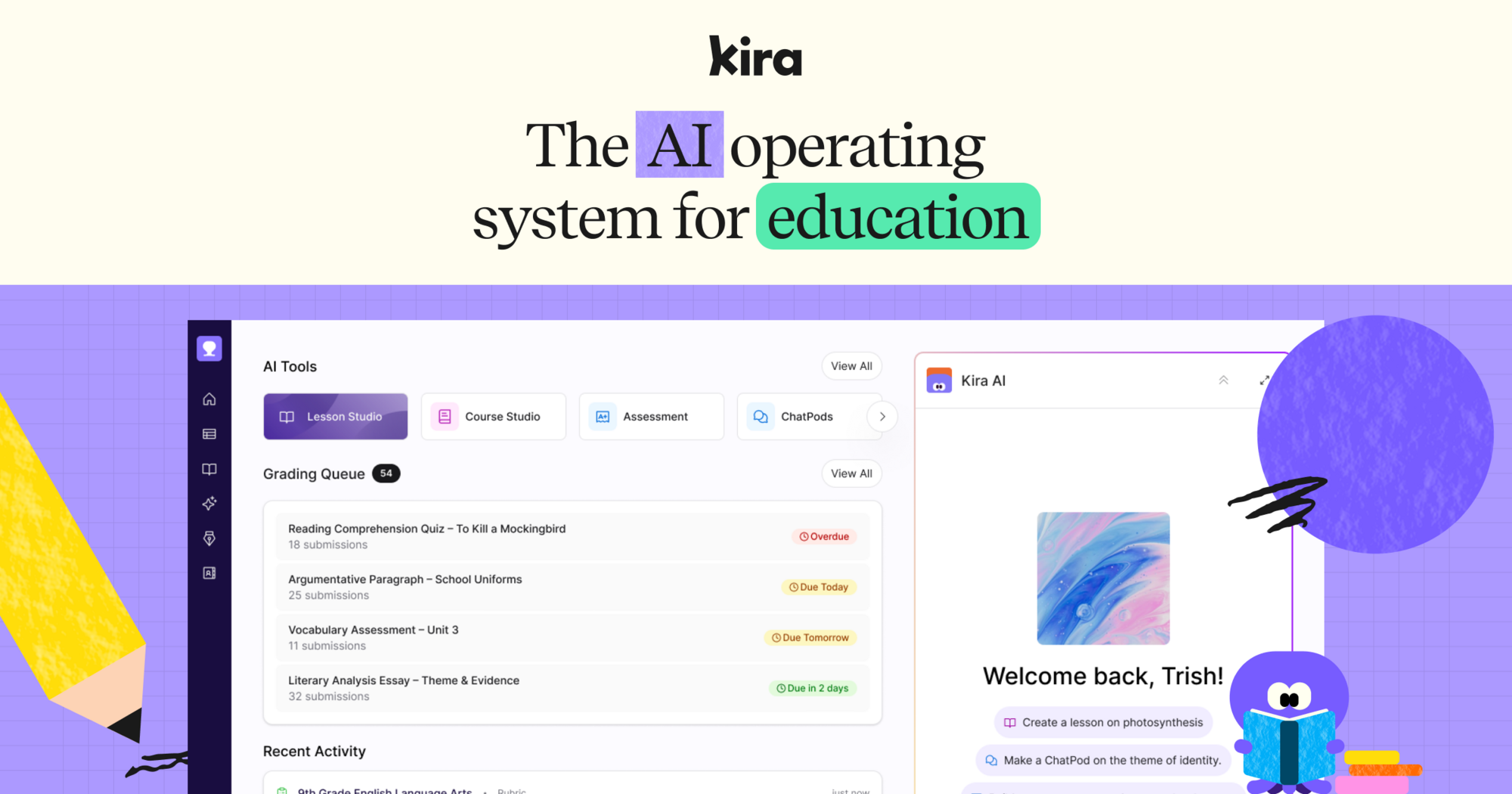
Kira connects instruction, assessment and intervention for teachers and schools. Its curriculum tools generate courses and lessons aligned to standards, while student responses update a mastery model used for grading, feedback and targeted support. The site offers teacher signup and school demos and presents Kira 2.0 through a separate preview.
Built for teachers
 Parlay Ideas
 helps teachers run and assess discussions, including written discussion boards and verbal Socratic seminars. Its Parlay Genie reads articles, videos and previous discussions to generate prompts and follow-up questions. Teachers can track participation and skill development across discussions. Written RoundTables include guided peer feedback and model submissions; verbal RoundTables support assessing Socratic seminars. The platform also has a community library of more than 5,000 discussion prompts.
The Basic plan is free with unlimited courses, six simultaneous RoundTables and up to 50 students per RoundTable. Individual Premium costs US$120 a year and adds unlimited RoundTables, co-teachers, data export, reports and Genie Assessment. School and district subscriptions use custom pricing and add institutional integrations and administrator dashboards. A school site license has a minimum of 300 students.
Built for teachers
 SchoolAI
 gives teachers AI learning experiences called Spaces, which they design and assign to students. Teachers can attach reference documents, use premade resources and see student learning during and after sessions through Mission Control. The platform also includes tools for content adaptation, presentations and writing feedback.
The free trial allows five launches of Spaces per year. Pro adds unlimited launches and sessions, school rostering, district collections, usage reports and learning management system integration. Scale adds student portals, student uploads, student level insights and custom standards mapping. Features such as a student Sidekick embedded in Canvas are part of Scale, rather than the trial offering. Its browser extension tools include meeting notes for parent conferences and teacher teams. Pro supplies a dedicated customer success manager and access to live professional development and certifications.
Built for teachers
 Seesaw
's AI tools for elementary teachers create activities from prompts, existing classroom resources and educational YouTube videos. Teachers can use AI assisted grading and automatic reading fluency analysis, including accuracy, common errors and words correct per minute. Teachers retain edit and override controls, while schools manage which features are enabled.
The Seesaw AI package adds resource conversion, activity generation and translation to the Instruction and Insights offering. Paid licenses are sold to schools and districts rather than individual teachers. Seesaw's literacy tools also include leveled passages and reading scaffolds. Students cannot access generative AI within the platform.
Teacher editions of larger platforms
 Toddle
 combines curriculum planning and assessment with student portfolios, reporting, communications and school operations. Its AI features include assisted grading, feedback and conversational analytics. It serves schools using frameworks including the International Baccalaureate, Cambridge and national curricula.
Schools and districts receive a custom quote based on their requirements. Toddle offers trials that typically last two to three weeks, with account setup and training for the team. The trial provides access to all features for a limited period. Schools can also discuss two or three year agreements, which the company offers with discounts, rather than buying only an individual teacher subscription.
Built for teachers